
Secure Caller ID blocking for everything
The free TrueCaller for Android by True Caller Scandinavia AB is designed to keep all annoying scam and telemarketing calls off of your phone. It allows you to see who is calling you through a caller ID that will enable you to know the number. Also, information about who is calling you from a crowdsourced directory upheld through their system.

Unlock your creativity with Adobe Stock
Get 10 images or 1 video with a free trial
Stop the annoying calls
True Caller takes a simple SMS or call verification, and it will be activated on your mobile. However, that is just the beginning of what it will do for you. It will constantly be running on your phone, a sword and shield against your enemies.
The app does take a lot of information at the download, which we will discuss later. However, what it also does, is includes your phone in its wide database gathered. As a result of this, it keeps you safe by instantly showing you the caller ID of who is calling you from its vast system.
It does an effective job through the wide connections it lays through the considerable nets to Facebook, Twitter, and other lines it makes. One important note is that the app also runs on IOS, Windows, and Blackberry, which makes it perfect for anyone who uses multiple phones.
What does True Caller do?
After you have True Caller download on your mobile phone, you will be able to log in easily with your Gmail, Facebook, or Microsoft account, which gives some good flexibility. The first thing it does in the installation process is to get your permission to upload your phonebook to its servers. This process will be discussed further in safety.
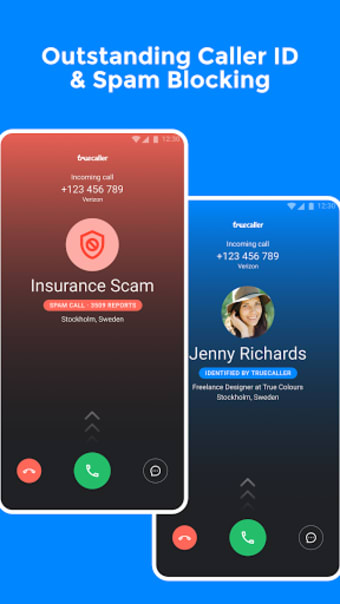
Once this has finished, the app will start categorizing your incoming calls and displaying the names and locations of the person, even if it is an unknown caller. This feature is related to their extensive crowdsourcing of contacts, enabling most incoming connections to be identified.
Through this, you will always know who is calling you, especially in the case of spam. Also, the app will proceed to block these calls if you choose to allow it. You can choose to receive notifications about them or not, depending on preferences.
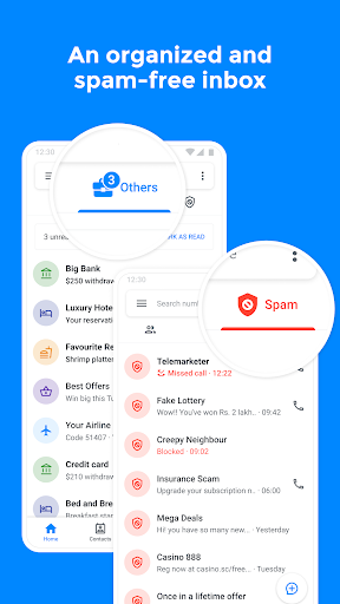
It also blocks chain SMS that is a problem as well. Also, you can add any that you choose to the blacklist maintained on your phone. You can also use this app to look up other people’s numbers through the directory of the users. Therefore, you can rest assured that your phone is safe from spam.
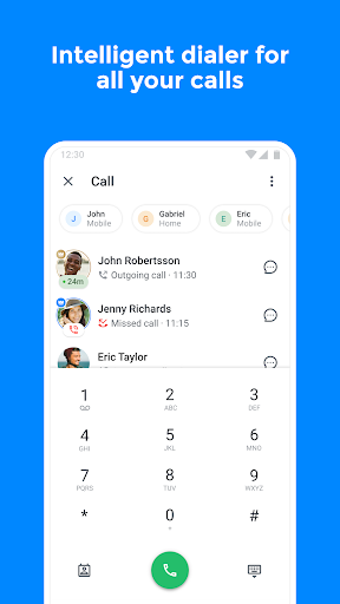
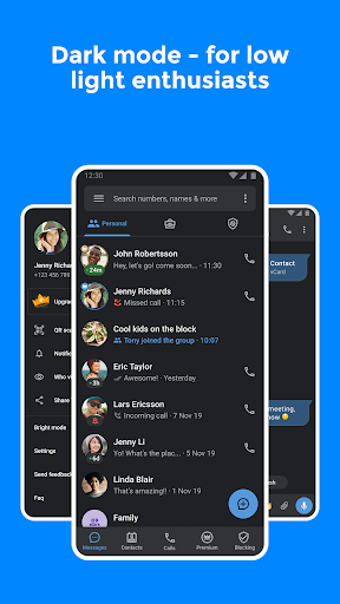
The user interface features are simple to use. When displaying the Caller ID, it stays in the center of the screen below the number and doesn’t interfere with the function of picking up the call so you can find out who is calling you. It compiles all your calls, messaging, and contacts into one. Also, when you friend your contacts through TrueCaller, you will be able to text them through the app.
Is TrueCaller safe?
Despite all the information it collects, which will be discussed below, TrueCaller guarantees your safety within the app with 250 million users who trust them with their information. There are some advertisements, but they are unobtrusive and perfectly safe to access.
The app does not modify anything else with your phone beyond what you have given it access to. It will not ask for or use anything that you do not give to it. You will be able to say no to the app if you want to preserve the integrity of your information in specific situations like connecting to Facebook.
Privacy concerns
The main concern with this program is the amount of information that it has gathered. The very fact that you can look up any phone number and find out who it belongs to through its directory means it has access to a lot of information. Another thing that sometimes happens is TrueCaller displays information on the Contact ID that did not come from the person.
Pictures or nicknames given to people by a user might end up being displayed by the program. You can search someone by name and find them in the lists. Another thing when adding to your directory, it doesn’t just go through your base contacts but also through all the contacts from apps like Whatsapp or Viber that retain a database.
Most likely, TrueCaller has your number already; however, you can unlist your number from their system using the Unlist my Number feature available on their website blocking the info to be used by them. However, if you don’t mind this situation, there is no other reason not to use it.
Alternatives to TrueCaller Free
There is a TrueCaller Gold and Premium edition. The second is the most practical as it gives you the ability to record all of your calls, display a special badge on your Caller ID, and see anyone who viewed your profile through the app. The Gold only gives higher priority when contacting support and a gold ID.
Hiya is a tad different because it has no ads even though it is free. The one disadvantage that comes into play is that the service can be slow when loading the Caller ID; however, both have simple user interfaces. The last thing is it doesn’t have as wide of a database as TrueCaller has.
Nomorobo is the other alternative, however, it has fallen much shorter. For the first few months, it works well, but after some time, it begins to have severe bugs. Also, it doesn’t provide as smooth an interface as the other options. Nomorobo does have an IOS version.
Efficient and clean spam protection
Overall this application offers a lot of utility for a free program. Despite the invasive nature, which has become extremely common for apps in this modern world, it does an excellent job of protecting you from annoying messages and calls.
Recently, they improved the speed of the system and fixed a few bugs that had been stopping SMS and hiding them. Also, it solved problems with incoming calls being delayed.